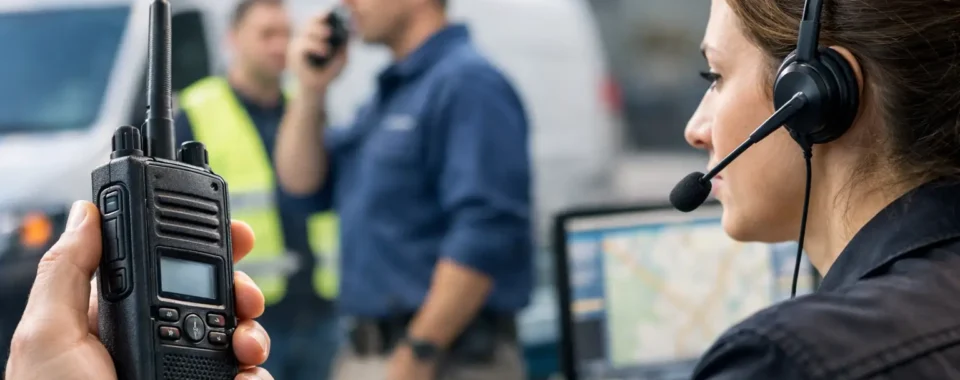

A service call can change quickly. A technician finds an unexpected access issue, a customer needs an updated arrival time, or the next job is closer to another truck. Dispatch radios for service teams give supervisors, dispatchers, and field personnel a direct way to handle those changes without waiting on a callback, switching apps, or sorting through missed messages.
For HVAC, plumbing, electrical, property maintenance, restoration, security, and mobile repair operations, the right radio system is not simply a faster phone. It is a working tool for assigning jobs, confirming status, protecting lone workers, and keeping the day moving when conditions are less than ideal. The right choice depends on where your team works, how far it travels, the number of users involved, and what happens when a message is missed.
Why service dispatch needs a purpose-built radio system
Cell phones remain useful for customer calls, photos, navigation, and detailed job notes. They are often a poor fit for frequent, short operational messages. Calling one technician at a time delays decisions. Group texts can be overlooked, and a phone may be in a pocket, truck cradle, or tool bag when someone needs an immediate answer.
Two-way radio dispatch changes the rhythm of communication. A dispatcher can speak to a crew, a single technician, or a selected work group with one action. A field employee can acknowledge a job assignment in seconds. Everyone who needs situational awareness hears the same update at the same time.
That shared awareness matters when work is spread across a city, a large facility, a campus, or multiple job sites. It also reduces unnecessary radio traffic. Instead of broadcasting every conversation to every user, a properly configured system gives each department or service area the talk group it needs.
The trade-off is that a radio system needs to be designed, not just purchased. Coverage, channel structure, device durability, user training, and licensing can all affect whether it improves operations or becomes another device employees avoid using.
Choosing dispatch radios for service teams
Start with the workday, not a radio model. Map a typical job from the moment the customer requests service through dispatch, travel, on-site work, completion, and follow-up. Identify where communication slows down or fails. That process usually makes the system requirements clearer than a feature checklist alone.
Match coverage to the actual service territory
Coverage is the first decision. Traditional DMR business radio is a strong option when teams operate around a facility, warehouse, campus, construction site, municipality, or a defined local service area. It can provide clear, immediate push-to-talk communication without relying on public cellular service. A repeater can extend coverage across a broader area, but it requires appropriate design, installation, and ongoing maintenance.
Push-to-Talk over Cellular, often called PoC, is usually the better fit for technicians traveling across a wide region or multiple states. PoC radios use cellular data and often Wi-Fi, providing radio-style group communication where carrier coverage is available. For many service fleets, that means dispatch can coordinate drivers, technicians, and supervisors across a much larger territory than a single local radio site can cover.
Neither option is automatically best. A local DMR system may be more predictable inside a large building, on a rural property, or in areas where cellular service is weak. PoC is often more practical for broad mobile coverage and teams that regularly cross county or state lines. Some organizations use both: local radio coverage where work happens and PoC for fleet-wide coordination.
Before committing, test the system where personnel actually work. Check parking garages, mechanical rooms, basements, elevator lobbies, rural routes, warehouses, and the edges of the service territory. A coverage discussion based only on a map can miss the places that cause the most frustration.
Build talk groups around decisions
A common mistake is putting every employee on one channel. That may work for a five-person crew, but it becomes noisy as the operation grows. Dispatchers lose time repeating instructions, technicians hear calls that do not apply to them, and urgent traffic can get buried.
A better approach is to separate communication by function. Dispatch may need a companywide group for major updates, individual service-area groups for daily assignments, and a supervisor group for escalation. After-hours personnel may need their own group, particularly when an emergency call should not interrupt the daytime team.
Keep the structure simple enough that users can select the right group without thinking. Too many groups create their own confusion. The goal is not to recreate the entire organizational chart on a radio. It is to make routine decisions fast and exceptions easy to escalate.
Choose hardware for field conditions
Consumer-grade devices tend to fail at the points where service work is hardest: drops on concrete, wet weather, dust, glove use, long shifts, and vehicle charging. Commercial radios are built with these realities in mind, but the appropriate rating and accessories still depend on the job.
For indoor maintenance and hospitality teams, a compact radio with a discreet earpiece may be the right fit. A restoration crew or utility contractor may need a larger device with stronger environmental protection, a loud speaker, and a high-capacity battery. Mobile technicians often benefit from a vehicle charger, remote speaker microphone, and a belt clip that keeps the radio accessible while carrying tools.
Audio deserves careful attention. A radio can have excellent coverage and still fail operationally if users cannot hear it near equipment, traffic, fans, or machinery. Test speaker volume, microphone performance, and noise reduction in realistic conditions. Also consider whether a headset improves safety or creates a snag hazard for a particular job.
Prioritize the features dispatch will actually use
GPS location can help dispatch identify the closest qualified technician, confirm whether a crew has reached a job area, and improve response during an urgent call. It should support sound operational decisions, not create unnecessary monitoring. Set clear internal expectations about how location information is used.
Emergency buttons, lone-worker timers, and man-down functions can add another layer of protection for employees working after hours, in confined areas, or at isolated sites. These features are valuable only if the response procedure is defined. Someone must know who receives an alert, how they verify the situation, and when to send help.
Call recording, dispatch consoles, and text messaging can also be useful, especially for organizations that need a record of assignments or service status. But do not overload the rollout with every available option. Start with the communication functions that solve the most costly problems, then add capabilities as the team becomes comfortable with the system.
Plan for licensing, administration, and support
Business radio frequencies are regulated. Most commercial DMR systems operating on licensed business frequencies require Federal Communications Commission licensing. Licensing is not paperwork to postpone until after equipment arrives. Frequency selection, site design, power levels, and system configuration should be considered from the start.
PoC systems do not require a business radio frequency license because they operate over cellular and Wi-Fi networks. They still need administration. Someone needs to manage user accounts, talk groups, device assignments, billing, and replacement procedures. That responsibility is easy to overlook until a technician leaves with a radio or a new branch needs to be added quickly.
A knowledgeable communications provider can help evaluate coverage, select equipment, assist with licensing where needed, program radios, and establish a support path after deployment. Cogent Radios Group approaches these projects as operating systems for real teams, not boxes that leave the shelf already solved.
Make adoption part of the installation
The best dispatch plan fails if employees do not use the radios consistently. Keep initial training practical. Show each user how to charge the device, select the correct group, make a private call, send an emergency alert if equipped, and speak clearly using a brief pause after pressing push-to-talk.
Dispatchers need their own workflow. Define how jobs are announced, how technicians acknowledge them, how status updates are communicated, and when a phone call is more appropriate. Short, consistent radio language prevents repeated questions and makes urgent traffic easier to recognize.
After the first few weeks, ask users where they lose coverage, what accessories are inconvenient, and which talk groups create confusion. Small adjustments to programming, charging locations, or operating procedures can make a major difference in daily use.
A service team should not have to choose between reaching the right person and finishing the job. When dispatch communication reflects the territory, work environment, and real pace of your operation, radios become one of the quiet systems that keeps customers informed and crews moving.