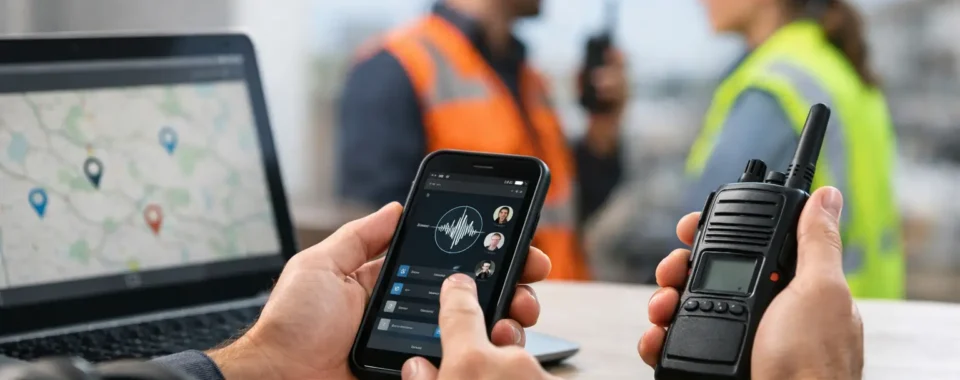

A dispatch screen can either shorten decisions or create another bottleneck. The difference usually comes down to configuration. Knowing how to configure PoC dispatch means building the system around how your teams actually work: who needs to talk, who needs to listen, which calls require immediate attention, and what a dispatcher needs to see before assigning a job.
Push-to-Talk over Cellular gives dispatchers a practical combination of instant group calling, individual calling, GPS location visibility, and status updates over nationwide cellular and Wi-Fi coverage. But those features only help when users, talkgroups, permissions, maps, and operating procedures are set up with purpose. A fleet of twenty drivers does not need the same dispatch layout or call rules as a hotel security team, a construction operation, or an event staff.
Start With the Operational Workflow
Before creating accounts or loading radio IDs, document a normal shift. Identify the roles in the field, the person or people handling dispatch, the areas they cover, and the calls that occur most often. This step prevents a common mistake: recreating an old radio channel plan without considering what PoC dispatch can add.
For example, a delivery company may need one all-fleet talkgroup, separate regional groups, a supervisor group, and private calls between dispatch and a driver. A security team may need a routine operations group plus a restricted emergency group that is monitored by supervisors. The best arrangement depends on call volume, geography, and the consequences of missed traffic.
Keep the initial design simple. Too many groups make it harder for a dispatcher to identify active traffic and force field users to scroll through unnecessary channels. Too few groups can bury urgent conversations in routine chatter. In most operations, an all-call group, a few function or territory groups, and one controlled emergency path are a solid starting point.
Define Users by Role, Not Just by Device
Each PoC radio, mobile app, or dispatcher console should be assigned to a named user or functional position. Avoid generic labels such as “Radio 7” when possible. A clear name such as “North Yard Forklift 2,” “Route 14,” or “Evening Security Supervisor” gives the dispatcher useful context immediately.
If devices are shared across shifts, assign them to positions rather than individual employees, then use a sign-in or check-out process to record who has the device. This keeps the dispatch view accurate without requiring a full reconfiguration every time staffing changes.
Build a short user directory that includes the display name, department, talkgroup membership, priority level, and device serial number or SIM information. It is a simple administrative control that makes replacements and troubleshooting much faster.
Configure Talkgroups and Call Permissions
Talkgroups are the working channels of a PoC system. Configure them to support a specific operational purpose, not simply because the platform allows unlimited groups. Name them clearly and consistently. “Ops – East,” “Maintenance,” and “Dispatch Priority” are easier to interpret during a busy shift than abbreviations only one administrator understands.
Set membership carefully. Field users should normally have access only to the groups they need. Supervisors and dispatchers may monitor more groups, but monitoring everything can become distracting if call traffic is heavy. In that case, consider separate dispatcher positions or define which talkgroups are monitored during certain hours.
Most platforms support a mix of group calls, private calls, and sometimes temporary or ad hoc groups. Group calls work best for routine coordination. Private calls are useful for sensitive details, extended troubleshooting, or instructions that do not concern the entire team. Temporary groups can be valuable during a special event, incident, or short-term project, but they should be removed when the work ends. Old groups left active create confusion and increase the chance of calls going to the wrong audience.
Set Priority and Emergency Behavior Deliberately
Priority settings should reflect actual operational risk. A supervisor or dispatcher may need higher call priority than routine field users, while emergency calls should have a defined escalation path. Depending on the PoC platform, this may include an emergency button alert, a high-priority group call, location reporting, and audible or visual alerts at the dispatch console.
Do not assume the default emergency configuration matches your policy. Decide who receives the alert, whether it opens a call automatically, how long the alert remains visible, and who is responsible for acknowledging it. Test this with the team. An emergency button that starts a call on a noisy open microphone may be appropriate for one operation and unacceptable for another.
Also establish what happens when two people transmit at once. PoC systems typically manage call floor control, but staff still need clear radio discipline. Teach users to listen before transmitting, state their unit identification, and keep routine calls brief. Configuration supports good habits; it cannot replace them.
Build the Dispatch Console for Fast Decisions
A PoC dispatch console should present the information needed to act, not every data point available. Begin with a map view, active call area, user list, group list, and alert panel. Then arrange those elements based on the dispatcher’s job.
For a mobile workforce, the map may be the primary tool. Configure map layers, geofences, and location refresh intervals to show meaningful movement without overloading the display or unnecessarily consuming battery and data. A five- or ten-minute update interval may be fine for low-risk asset visibility, while a faster interval may be justified for active security patrols or time-sensitive deliveries.
Geofences can notify dispatch when a unit enters or leaves a defined area such as a jobsite, service territory, warehouse, or event perimeter. Use them selectively. If every routine boundary crossing creates an alert, dispatchers will begin ignoring alerts altogether. Start with exceptions that require action, such as a vehicle leaving an approved service area or a unit failing to arrive at a designated location.
Organize the user list with meaningful filters. Dispatchers may need to quickly view all units, a particular region, only supervisors, or only users assigned to a current incident. If the platform offers presence states, define what each state means. “Available,” “Busy,” “On Break,” “Off Duty,” and “Emergency” should be used consistently across the operation.
Configure Devices Before They Reach the Field
The radio itself should match the console design. Program the channel selector or on-screen group list in a logical order, placing the most-used operational groups first. Avoid loading every available group onto every device unless there is a clear need.
Confirm that the push-to-talk button, emergency button, volume controls, and display settings are practical for the work environment. A driver using gloves, a maintenance technician working around machinery, and a hotel employee carrying a compact handheld may need different accessories and button behavior.
Verify cellular service and Wi-Fi behavior at the locations where work occurs. PoC provides broad coverage, but performance still depends on the available network. Test indoor areas, parking structures, rural routes, basements, and remote job sites rather than relying only on a coverage map. For critical applications, evaluate devices and service plans that support multiple carrier options or managed connectivity.
Use device management features when available to apply consistent settings, push updates, lock down unauthorized changes, and locate lost units. This is especially valuable for organizations with shared equipment or a growing fleet.
Test Dispatch With Real Scenarios
A configuration is not finished when the portal shows green status. Run a controlled field test that mirrors actual work. Have users place routine group calls, conduct a private call, trigger an emergency alert, move through a geofence, and operate from known weak-signal areas. Confirm that the dispatcher can identify who is speaking, see the correct location, and reach the intended group without delay.
Document the results and correct problems before full deployment. Common issues include duplicated user names, incorrect group permissions, stale GPS positions, overly broad emergency alerts, and audio accessories that perform poorly in a loud environment.
Train users on the few actions they will perform every day: selecting the right group, making a call, recognizing an emergency alert, changing status, and reporting a device issue. Dispatchers need additional training on managing groups, locating users, handling alerts, and documenting incidents. A short job-specific training session is more useful than handing out a generic manual.
Maintain the System as Operations Change
PoC dispatch should be reviewed after staffing changes, new routes, seasonal events, or any incident that exposed a communication gap. Remove former employees promptly, update shared-device assignments, and archive temporary groups. Review whether call priorities and geofences are still serving a useful purpose.
Cogent Radios Group can help organizations translate field workflows into a practical PoC radio and dispatch design, including device setup, coverage planning, and ongoing support. The goal is not to add more features to the screen. It is to give dispatchers and field teams a communication system that stays clear when the work gets busy.